

A website may look professional and still struggle to attract qualified visitors, rank for relevant searches, or convert traffic into enquiries. The problem is rarely caused by one issue alone. Technical errors, weak content, poor keyword targeting, slow page speed, broken links, and unclear conversion paths can all reduce search performance.
SEO auditing is the process of examining these areas systematically to identify what is helping, what is holding the website back, and which improvements should be prioritised. A useful audit does not stop at reporting errors or generating a score. It connects technical findings, content quality, user experience, search visibility, and conversion data to the business’s actual objectives.
For established companies, this means understanding whether the website supports credibility, lead generation, marketing campaigns, customer trust, and long-term organic growth. This guide explains how to conduct a complete SEO audit, interpret the findings, and turn them into a practical Fix, Action, and Rank plan without relying on ranking guarantees or misleading shortcuts.
What Is SEO Auditing and Why Does Your Business Need It?

SEO auditing is a structured review of how effectively a website can be discovered, understood, indexed, and ranked by search engines. It also examines whether the website provides a useful experience for visitors and supports measurable business goals such as enquiries, quotation requests, phone calls, WhatsApp messages, registrations, or online purchases.
A complete SEO audit does not focus on keywords alone. It reviews the technical condition of the website, content quality, search intent, internal links, backlinks, page speed, mobile usability, local visibility, structured data, and conversion tracking.
The purpose is to identify:
- Problems that prevent search engines from accessing or indexing important pages.
- Pages that are targeting the wrong keywords or search intent.
- Content that is outdated, incomplete, duplicated, or unhelpful.
- Technical issues that affect speed, mobile usability, or website security.
- Weak internal links that make important pages difficult to find.
- Backlink and authority gaps compared with competitors.
- User-experience problems that may prevent visitors from taking action.
- Tracking gaps that make SEO performance difficult to measure.
Businesses can explore related Search Engine Optimization resources to understand how individual SEO activities contribute to broader website visibility.
What an SEO Audit Examines
A useful SEO audit normally evaluates several connected areas.
Technical SEO examines whether search engines can crawl, render, and index the website correctly. This includes robots.txt files, XML sitemaps, canonical tags, redirects, error pages, mobile performance, website speed, HTTPS, and structured data.
On-page SEO reviews how individual pages communicate their subject and relevance. It covers SEO titles, meta descriptions, headings, URLs, keyword use, image optimisation, internal links, and alignment with search intent.
Content auditing assesses whether the website provides accurate, original, useful, and sufficiently detailed information. It also identifies outdated pages, overlapping topics, content gaps, and pages that receive traffic but do not support the reader’s next step.
Off-page SEO reviews backlinks, referring domains, brand mentions, and authority signals. The objective is not simply to count backlinks but to evaluate their relevance, quality, and potential risk.
Local SEO examines the website’s ability to appear in location-based searches. This may include Google Business Profile information, customer reviews, local citations, location pages, and consistency of business details.
Performance measurement reviews whether the business can accurately track organic traffic, keyword visibility, landing-page activity, enquiries, and other conversions. Without reliable measurement, it becomes difficult to determine whether SEO improvements are supporting meaningful business outcomes.
The Difference Between an Audit Score and a Proper SEO Diagnosis
Many automated SEO tools produce a website score after scanning selected technical and on-page elements. These scores can be useful for identifying possible errors, but they should not be treated as a complete diagnosis.
An automated tool may report that:
- A meta description is missing.
- A page contains a large image.
- A heading structure is inconsistent.
- A link returns an error.
- A page loads more slowly than recommended.
However, the tool may not understand:
- Which page generates the most valuable enquiries.
- Whether the content matches the customer’s actual search intent.
- Whether two similar pages should be merged.
- Whether a low-traffic service page is strategically important.
- Whether a recommended change could affect conversions.
- Which technical issue should be fixed first.
- Whether a page supports sales, recruitment, customer education, or corporate credibility.
- A proper SEO diagnosis combines tool data with human evaluation, business context, competitor analysis, search intent, content quality, user behaviour, and conversion performance.
For example, a website may achieve a high technical score but still perform poorly because its service pages are unclear, its calls to action are weak, or its content does not answer the questions potential customers ask before making contact.
SEO auditing should therefore answer more than “What is technically wrong?”
It should also answer:
- Which problems are affecting important pages?
- What business opportunities are being missed?
- Which improvements are most urgent?
- What can be fixed quickly?
- Which changes require ongoing work?
- How will progress be measured?
The final outcome should be a prioritised improvement plan rather than a long list of disconnected warnings.
When Should Your Business Conduct an SEO Audit?
SEO auditing should not be treated as a one-time activity. Websites change continuously as new pages, blog articles, products, plugins, tracking codes, redirects, and design updates are introduced. Search behaviour, competitors, and search-engine requirements also evolve over time.
For most established business websites, a comprehensive SEO audit should be conducted at least once or twice a year. More frequent reviews may be necessary for large websites, e-commerce stores, publishers, or companies that regularly update their services and content.
Businesses should also conduct an SEO audit before or after major website changes. This helps protect existing search visibility and identify problems before they affect important pages.
Recommended SEO Audit Frequency
The appropriate frequency depends on the website’s size, complexity, and level of activity.
Monthly monitoring
A full audit is not normally required every month, but businesses should monitor:
- Organic traffic trends.
- Search impressions and clicks.
- Keyword visibility.
- Website errors.
- Important landing pages.
- Form submissions, calls, and other conversions.
- Website uptime and security alerts.
Monthly monitoring helps identify unusual changes before they become larger problems.
Quarterly SEO health checks
A quarterly review can focus on:
- Broken links and error pages.
- Indexing coverage.
- Website speed.
- Core Web Vitals.
- New and declining keywords.
- Underperforming content.
- Internal-link opportunities.
- Google Business Profile accuracy.
- Conversion tracking.
This is particularly useful for businesses publishing new content or frequently updating service pages.
Annual or biannual comprehensive audits
A deeper audit should evaluate the entire website, including:
- Technical SEO.
- Website architecture.
- Content quality.
- Search intent.
- Competitor performance.
- Backlinks.
- Local SEO.
- User experience.
- Conversion paths.
- Analytics and tracking accuracy.
Large websites and competitive industries may benefit from a comprehensive audit every six months. Smaller and more stable websites may conduct one annually while continuing regular monitoring.
Warning Signs That Your Website Needs an Audit
A business should not wait for its scheduled review when there are clear signs of a problem.
An immediate SEO audit may be necessary when:
- Organic traffic drops unexpectedly.
- Important keywords lose their rankings.
- New pages are not appearing on Google.
- Search Console reports indexing or crawling errors.
- The website becomes slow or unstable.
- Mobile visitors experience layout or navigation problems.
- Important pages return errors or redirect incorrectly.
- Leads decline even though website traffic remains stable.
- Competitors begin appearing above the business for important searches.
- Google Business Profile visibility declines.
- Website content becomes outdated or inconsistent.
- Analytics and conversion tracking stop reporting accurately.
Traffic alone should not determine whether the website is performing effectively. A site may continue receiving visitors while producing few calls, WhatsApp messages, quotation requests, or form submissions. In that situation, the audit should review service messaging, calls to action, trust signals, mobile usability, and the full enquiry journey—not only keyword rankings.
Conduct an Audit Before Major Website Changes

An SEO audit should ideally be completed before:
- Redesigning or revamping the website.
- Changing the domain name.
- Migrating to a new hosting provider.
- Moving from one content management system to another.
- Changing the URL structure.
- Merging or deleting pages.
- Launching a new service or product section.
- Expanding into new locations or markets.
The initial audit establishes a performance benchmark and identifies pages, keywords, backlinks, and URLs that need to be protected during the change.
A second audit should be conducted after implementation to confirm that:
- Redirects are working correctly.
- Important pages remain indexable.
- Tracking codes are still active.
- Internal links point to the correct URLs.
- Website speed and mobile usability have not deteriorated.
- Existing search visibility has not been unnecessarily disrupted.
The best time to conduct an SEO audit is before a serious decline occurs. Regular auditing allows a business to identify risks earlier, protect valuable pages, and make improvements according to their likely business impact.
Define Your SEO Goals Before Starting the Audit
An SEO audit becomes more useful when the business first defines what the website is expected to achieve. Without clear goals, the audit may produce a long list of technical issues without showing which improvements are most important.
The objective is not simply to increase an SEO score. The audit should determine whether the website supports the company’s commercial, marketing, and communication priorities.
For an established business, SEO goals may include:
- Increasing visibility for relevant service or product searches.
- Attracting visitors who are more likely to become qualified prospects.
- Generating more quotation requests, calls, WhatsApp messages, bookings, or form submissions.
- Improving the performance of important service and landing pages.
- Strengthening brand credibility in Google search results.
- Supporting sales campaigns, content marketing, and Google Ads activity.
- Expanding visibility into new locations, industries, or customer segments.
- Reducing reliance on paid advertising for long-term website discovery.
- Improving the quality and accuracy of website performance reporting.
These goals should be documented before technical checks begin because they influence how the findings are evaluated.
Organic Visibility and Keyword Goals
The first step is to identify the searches for which the business needs to be visible.
This should include more than broad industry keywords. The audit should consider different stages of the customer journey, including:
Informational searches
These searches indicate that the user is researching a problem or learning about a topic. Examples include questions, guides, comparisons, checklists, and explanations.
Commercial investigation searches
These users are comparing providers, services, solutions, prices, experience, or features before making a decision.
Transactional searches
These searches indicate a stronger intention to contact, purchase, book, subscribe, or request a quotation.
Navigational and branded searches
These users are searching for the company name, brand, product, employee, location, or a specific website page.
The audit should identify:
- Keywords for which the website already ranks.
- Keywords bringing relevant organic traffic.
- Important keywords with declining performance.
- High-value keywords where competitors rank more strongly.
- Pages targeting several unrelated search intents.
- Important services with no suitable optimised page.
- Keywords that receive impressions but few clicks.
- Searches that attract traffic but have little commercial relevance.
Keyword goals should be based on relevance and business value rather than search volume alone.
A lower-volume keyword may be more valuable when it closely matches a specialised service and attracts users who are ready to enquire. A high-volume keyword may generate many visits but contribute little if the search intent does not match what the business offers.
Enquiries, Conversions, and Business Outcomes
SEO performance should not be measured only through impressions, rankings, and website visits.
A business website normally exists to encourage meaningful actions. Depending on the organisation, these may include:
- Contact-form submissions.
- Quotation requests.
- Phone calls.
- WhatsApp conversations.
- Appointment bookings.
- Product purchases.
- Downloads.
- Email subscriptions.
- Job applications.
- Event or training registrations.
- Visits to an important service or pricing page.
The audit should confirm that these actions are tracked accurately through suitable analytics and conversion-measurement tools.
Website visits alone do not necessarily produce enquiries. Possible friction may exist in the service messaging, calls to action, trust information, mobile interface, contact forms, or the steps a visitor must complete before reaching the business. These factors should be investigated rather than assuming that traffic is the only issue.
The audit should therefore answer questions such as:
- Which organic landing pages generate enquiries?
- Which pages receive traffic but few meaningful actions?
- Are calls, WhatsApp clicks, and form submissions tracked?
- Can users easily understand the service and its value?
- Are calls to action visible and relevant?
- Do important pages contain sufficient trust evidence?
- Are forms too long, confusing, or difficult to use on mobile devices?
- Are visitors moving from informational content to commercial pages?
- Can the business determine which enquiries originated from organic search?
Establish Measurable Audit Objectives
Before beginning the audit, the business can define a small set of practical objectives.
For example:
- Identify why important service pages are not indexed.
- Find technical problems affecting mobile visitors.
- Determine why organic traffic has declined.
- improve visibility for selected commercial keywords.
- Identify content gaps compared with competitors.
- Review whether existing blog traffic supports service enquiries.
- Confirm that analytics and conversion tracking are accurate.
- Prepare the website for a redesign or migration.
- Improve local visibility in selected Malaysian locations.
- Prioritise the pages most likely to support qualified enquiries.
Each objective should connect to a measurable indicator where possible.
This may include:
- Indexed-page coverage.
- Organic clicks and impressions.
- Rankings for selected keyword groups.
- Click-through rates.
- Engagement with priority landing pages.
- Form submissions and enquiry actions.
- Local-profile interactions.
- Website speed and Core Web Vitals.
- The number of critical technical errors resolved.
Clear goals help prevent the audit from becoming a checklist exercise. They allow the business to distinguish between minor recommendations and issues that directly affect visibility, user experience, credibility, or enquiries.
Establish Your Website’s Current SEO Performance
Google Analytics helps explain what visitors do after reaching the website.
The audit should review organic-search traffic separately from other channels such as paid advertising, direct visits, social media, referrals, and email campaigns.
Important measurements include:
- Organic users and sessions.
- New and returning visitors.
- Landing-page activity.
- Engagement with key pages.
- Device categories.
- Geographic locations.
- Conversion events.
- Traffic sources and campaigns.
- Paths visitors take before completing an enquiry.
The purpose is not to collect every available metric. The business should focus on data that helps evaluate visibility, user behaviour, and meaningful actions.
Google Analytics and Conversion Tracking
Before identifying what needs to be fixed, the business should document how the website is currently performing. This baseline allows future changes to be measured against real data rather than assumptions.
The objective is to understand:
- How people currently find the website.
- Which pages receive organic search visibility.
- Which keywords generate impressions and clicks.
- Which pages attract useful traffic.
- Where visitors stop or leave.
- Which landing pages contribute to enquiries.
- Whether conversions are tracked accurately.
- Whether recent performance has improved, remained stable, or declined.
The baseline should cover a meaningful comparison period. For many businesses, reviewing the most recent three, six, and twelve months can reveal short-term changes, seasonal patterns, and longer-term performance trends.
Where possible, compare each period with the equivalent previous period. This helps prevent seasonal activity from being mistaken for an SEO problem or improvement.
Google Search Console Data
Google Search Console provides information about how the website appears and performs in Google Search.
The audit should review the following areas:
Total impressions
Impressions show how often website pages appeared in Google search results. An increase may indicate that more pages or keywords are gaining visibility, although impressions alone do not confirm that users are visiting the website.
Total clicks
Clicks show how many visits Google Search generated. Compare clicks with impressions to determine whether increased visibility is also producing traffic.
Average click-through rate
Click-through rate measures how often users click after seeing a search result. A page may receive many impressions but few clicks when:
- Its SEO title does not clearly answer the search.
- Its description is vague or unpersuasive.
- The content does not closely match the search intent.
- Competing results appear more relevant.
- The page ranks too low to attract attention.
- Google displays a different title or snippet.
The audit should identify high-impression pages with low click-through rates because they may present practical optimisation opportunities.
Average position
Average position provides a general indication of where the website appears for searches. It should be interpreted carefully because positions can vary by device, location, query, and date.
Rather than focusing only on one overall average, review:
- Rankings for commercially important queries.
- Pages appearing close to the first page.
- Queries that have recently improved or declined.
- Searches where several pages from the same website compete.
- Keywords generating visibility but not relevant traffic.
Top-performing queries
Review which search terms generate the most impressions and clicks.
Ask:
- Do these searches match the services the business wants to promote?
- Are commercial keywords producing visibility?
- Is the website mainly appearing for branded searches?
- Are informational searches supporting the customer journey?
- Are irrelevant queries attracting traffic with little business value?
Top-performing pages
Identify the pages receiving the most organic clicks and impressions.
The audit should determine:
- Which pages are growing.
- Which pages are declining.
- Which pages attract traffic but few enquiries.
- Which important service pages receive little visibility.
- Whether old blog articles outperform current commercial pages.
- Whether several pages compete for the same topic.
Indexing reports
Search Console can indicate whether Google has indexed important website pages and whether other URLs are excluded.
Review:
- Important pages that are not indexed.
- URLs blocked by robots.txt.
- Pages marked with noindex.
- Duplicate pages with alternative canonical URLs.
- Redirected pages.
- Soft 404 errors.
- Crawled pages that are currently not indexed.
- Discovered pages that have not yet been crawled.
Not every excluded URL represents a problem. Login pages, filtered URLs, duplicate versions, and administrative pages may be intentionally excluded. The audit should focus on whether pages important to customers and business goals are accessible and indexable.
Google Analytics and Conversion Tracking
Google Analytics helps explain what visitors do after reaching the website.
The audit should review organic-search traffic separately from other channels such as paid advertising, direct visits, social media, referrals, and email campaigns.
Important measurements include:
- Organic users and sessions.
- New and returning visitors.
- Landing-page activity.
- Engagement with key pages.
- Device categories.
- Geographic locations.
- Conversion events.
- Traffic sources and campaigns.
- Paths visitors take before completing an enquiry.
The purpose is not to collect every available metric. The business should focus on data that helps evaluate visibility, user behaviour, and meaningful actions.
Confirm That Important Conversions Are Tracked
An SEO audit should verify whether the website records the actions that matter to the business.
These may include:
- Contact-form submissions.
- Quotation requests.
- WhatsApp button clicks.
- Telephone-link clicks.
- Email-link clicks.
- Appointment bookings.
- Purchases.
- Downloads.
- Registrations.
- Visits to confirmation or thank-you pages.
Tracking should also be tested to confirm that events are triggered correctly.
Common tracking problems include:
- Forms submitting without recording a conversion.
- One action being counted several times.
- Internal staff activity affecting reports.
- WhatsApp or telephone clicks not being measured.
- Tracking codes removed during website updates.
- Thank-you pages accessible without completing a form.
- Consent settings preventing expected data collection.
- Different domains or subdomains not being connected properly.
Established businesses often need clearer measurement of website performance, lead sources, campaign results, and return on marketing activity.
Rankings, Traffic, Leads, and Landing-Page Performance
SEO metrics should be reviewed together rather than in isolation.
A useful baseline can include four connected levels:
1. Search visibility
Measure impressions, ranking positions, indexed pages, and keyword coverage.
2. Organic traffic
Measure clicks, users, sessions, and visits to priority pages.
3. Website engagement
Review whether visitors read important content, navigate to related pages, interact with calls to action, or leave without progressing.
4. Business conversions
Measure enquiries, calls, quotation requests, bookings, registrations, or purchases generated through organic search.
This comparison helps reveal where performance may be breaking down.
For example:
- High impressions but low clicks may indicate weak search-result presentation or poor keyword alignment.
- High clicks but low engagement may indicate that the page does not satisfy the search intent.
- Strong traffic but few enquiries may indicate unclear messaging, weak trust elements, poor calls to action, or conversion friction.
- Good rankings but declining leads may indicate a change in search intent, audience quality, offer relevance, or tracking accuracy.
- Low traffic to an important service page may indicate indexing, internal-link, keyword, or content problems.
Traffic should not automatically be treated as the final business outcome. The Rich Web’s approved business context positions website audits around SEO, usability, content, conversions, and technical performance rather than rankings alone.
Review Performance by Landing Page
A landing page is the first page a visitor reaches during a session.
For each important organic landing page, record:
- Organic clicks.
- Search impressions.
- Average ranking position.
- Click-through rate.
- Engagement.
- Conversion actions.
- Main ranking keywords.
- Search intent.
- Recent performance trend.
- Technical or content concerns.
The audit should pay particular attention to:
- High-traffic pages with few conversions.
- Service pages with low visibility.
- Pages that have lost clicks.
- Articles attracting irrelevant visitors.
- Pages ranking for unexpected keywords.
- Pages with strong impressions but weak click-through rates.
- Pages that support important products, services, or campaigns.
This page-level approach makes the audit more actionable because recommendations can be connected to specific URLs rather than presented only as website-wide observations.
Create a Baseline Performance Record
Before making changes, record the current figures in a spreadsheet, dashboard, or audit document.
A practical baseline may include:
| Measurement | Current Performance | Comparison Period | Audit Observation |
|---|---|---|---|
| Organic clicks | Current figure | Previous period | Increasing, stable, or declining |
| Search impressions | Current figure | Previous period | Visibility trend |
| Indexed priority pages | Current figure | Expected total | Missing important pages |
| Organic conversions | Current figure | Previous period | Lead trend |
| High-value keyword positions | Current rankings | Previous rankings | Gains or losses |
| Core Web Vitals status | Current status | Previous status | Technical priority |
| Top organic landing pages | Current pages | Previous pages | Performance changes |
The baseline should be saved before major optimisation, redesign, migration, or content work begins. After changes are implemented, the same measurements can be reviewed to determine whether performance is moving in the intended direction.
A reliable baseline does not guarantee that every improvement will produce immediate growth. It does, however, give the business a more accurate way to prioritise work, investigate changes, and measure progress over time.
Choose the Right SEO Auditing Tools
SEO auditing normally requires several tools because no single platform can evaluate every aspect of website performance accurately.
One tool may identify technical crawling errors, while another reports search visibility, visitor behaviour, page speed, backlinks, or local-search performance. The most effective approach is to combine the data and interpret it according to the website’s business goals.
The tools selected should help the audit answer four questions:
- Can search engines access and index the website?
- Does the content match relevant keywords and search intent?
- Does the website provide a usable experience?
- Does organic search contribute to meaningful business actions?
Businesses should avoid selecting tools only because they produce a high or low SEO score. The value of a tool depends on whether its findings can support an accurate diagnosis and practical improvement plan.
Free SEO Audit Tools
Free tools are usually sufficient for establishing a basic SEO baseline and identifying common problems.
Google Search Console
Google Search Console provides direct information about how a website performs in Google Search.
It can help identify:
- Search queries generating impressions and clicks.
- Pages receiving organic visibility.
- Indexing and crawling issues.
- Mobile usability concerns.
- Sitemap status.
- Manual actions and security issues.
- Structured-data and enhancement reports where available.
- Pages losing or gaining search visibility.
Search Console should be one of the primary tools in an SEO audit because it reflects how Google currently discovers and displays the website.
However, it does not provide a complete competitor analysis, comprehensive backlink comparison, full website crawl, or detailed conversion reporting.
Google Analytics
Google Analytics helps assess what visitors do after they arrive on the website.
It can be used to review:
- Organic traffic.
- Landing-page activity.
- Visitor engagement.
- Device usage.
- Geographic data.
- Conversion events.
- User journeys.
- Traffic-source comparisons.
The audit should confirm that important actions such as contact forms, phone clicks, WhatsApp clicks, bookings, downloads, and purchases are being measured accurately.
Analytics data should be interpreted together with Search Console data. Search Console explains how users find the website, while analytics helps show what happens after they arrive.
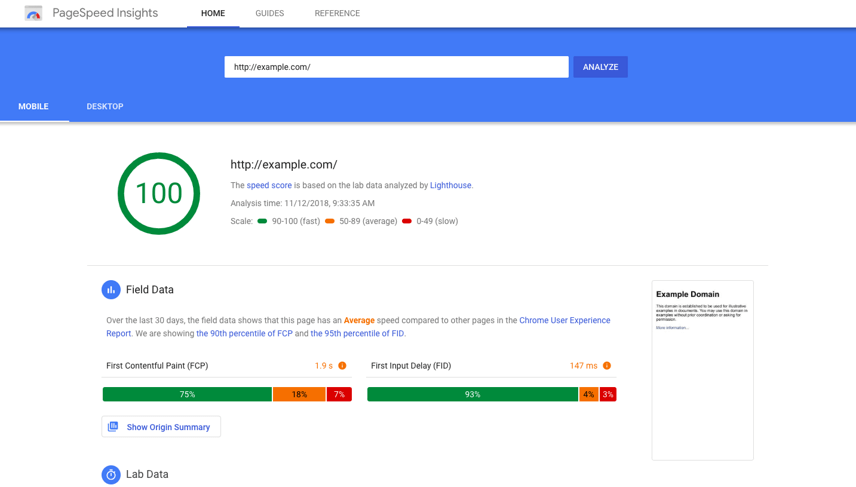
PageSpeed Insights
PageSpeed Insights can help evaluate website loading performance and Core Web Vitals.
It may highlight concerns involving:
- Large images.
- Unused scripts or styles.
- Slow server responses.
- Layout movement.
- Delayed visual content.
- Main-thread activity.
- Mobile and desktop performance.
A low score should not automatically lead to random technical changes. The audit should determine which recommendations affect real users, important landing pages, and business-critical functions.
For example, removing a script may improve a score but break enquiry tracking, forms, live chat, or another necessary function. Performance work should therefore be tested carefully.
Lighthouse
Lighthouse can provide a page-level review of performance, accessibility, SEO fundamentals, and selected best practices.
It is useful for identifying possible issues, but results can vary depending on:
- Device conditions.
- Network speed.
- Browser extensions.
- Server activity.
- Third-party scripts.
- The page tested.
Lighthouse should be used as a diagnostic aid rather than the sole measure of website quality.
Rich Results Test
The Rich Results Test can help determine whether structured data on a page is eligible for supported rich-result formats.
It may help identify:
- Invalid structured-data properties.
- Missing required information.
- Syntax errors.
- Markup that Google can detect.
Passing the test does not guarantee that Google will display a rich result. It only confirms whether the tested markup may be technically eligible.
Mobile-Friendly and Browser Testing
Businesses should manually review important pages using different screen sizes and devices.
The review should check:
- Navigation menus.
- Text readability.
- Form usability.
- Button size and spacing.
- Pop-ups.
- Tables.
- Images and videos.
- Sticky elements.
- WhatsApp and telephone buttons.
- Checkout or enquiry processes.
Automated testing may not detect every problem that affects a real customer journey.
Paid SEO Audit Platforms
Paid tools are useful when the website is larger, operates in a competitive industry, targets many keywords, or requires ongoing monitoring.
Depending on the platform, paid tools may support:
- Full website crawling.
- Keyword tracking.
- Competitor analysis.
- Backlink analysis.
- Content-gap research.
- Technical issue monitoring.
- Historical ranking comparisons.
- Internal-link analysis.
- Keyword clustering.
- Scheduled audit reports.
Common professional platforms include Semrush, Ahrefs, Screaming Frog SEO Spider, and Sitebulb. The business does not necessarily need subscriptions to every platform.
Tool selection should depend on the audit objective.
Tools for Technical Website Crawling
A crawling tool can simulate how search-engine bots move through the website.
It can help identify:
- Broken internal links.
- Redirect chains.
- Duplicate titles.
- Missing descriptions.
- Multiple H1 headings.
- Canonical-tag issues.
- Non-indexable pages.
- Orphan-page concerns.
- Excessive crawl depth.
- Large images.
- Pages returning server errors.
- Internal links pointing to redirected URLs.
Crawling tools are especially useful for websites containing many pages. However, the findings still require interpretation.
For example, a missing meta description may be a low-priority issue on an administrative page but more important on a high-impression service page.
Tools for Keyword and Competitor Research
Keyword and competitor platforms can help identify:
- Keywords for which the website currently ranks.
- Searches where visibility has declined.
- Competitors appearing for important topics.
- Keyword gaps.
- Content opportunities.
- Search-volume estimates.
- Ranking-page comparisons.
- Potentially competing pages within the same website.
Keyword databases provide estimates rather than guaranteed figures. Search volume, traffic forecasts, keyword difficulty, and estimated visits can differ between platforms.
These figures should be used for comparison and prioritisation, not treated as exact business results.
Tools for Backlink Analysis
Backlink tools can review external websites linking to the business.
They may provide information about:
- Referring domains.
- Link growth or decline.
- Anchor text.
- Competitor backlinks.
- Broken external links.
- Potentially irrelevant or suspicious links.
- Pages receiving the most links.
Different backlink tools maintain different indexes, so one platform may discover links that another does not.
The audit should focus on relevance and quality rather than pursuing the highest possible backlink count.
Tools for Local SEO Auditing
Businesses serving specific locations should also review their local-search presence.
Useful local SEO tools may support:
- Google Business Profile monitoring.
- Business-detail consistency.
- Local citation checks.
- Review monitoring.
- Local keyword tracking.
- Map visibility comparisons.
Manual checks remain important. The auditor should confirm that the company’s name, address, telephone number, opening hours, services, categories, website link, and location information are accurate.
Why One Tool Cannot Provide the Complete Answer
SEO tools examine websites using different databases, crawlers, scoring systems, and assumptions.
This means two tools may report different:
- Website health scores.
- Backlink totals.
- Keyword positions.
- Traffic estimates.
- Error counts.
- Keyword difficulty scores.
- Page-speed results.
These differences do not necessarily mean one tool is incorrect. Each platform may be measuring a different sample, date range, device, location, or technical condition.
More importantly, automated tools generally cannot fully understand:
- Which services are most profitable.
- Which pages support important sales conversations.
- Whether a page reflects the company accurately.
- Whether the content answers customer concerns.
- Whether a low-traffic page has strategic value.
- Why visitors hesitate before submitting an enquiry.
- Whether recommendations align with legal, operational, or brand requirements.
- Which changes the internal team can realistically implement.
The uploaded article brief specifically recognises that readers may be confused by tools that focus on scores instead of useful content and business outcomes.
Build a Practical SEO Audit Tool Stack
A basic audit stack may include:
| Audit Area | Suggested Tool Type |
|---|---|
| Google visibility | Google Search Console |
| Visitor behaviour | Google Analytics |
| Conversion measurement | Analytics and tag-management tools |
| Page speed | PageSpeed Insights and Lighthouse |
| Structured data | Rich Results Test |
| Technical crawling | Website crawler |
| Keyword research | SEO keyword platform |
| Competitor analysis | SEO research platform |
| Backlinks | Backlink-analysis platform |
| Local visibility | Google Business Profile and local SEO tools |
| Manual usability | Desktop and mobile browser testing |
The best tool stack is not necessarily the most expensive one. It is the combination that provides enough reliable information to identify issues, understand their business impact, and monitor the improvements that follow.
The audit report should also distinguish between:
- Confirmed errors.
- Possible concerns requiring investigation.
- Minor recommendations.
- High-impact business opportunities.
- Issues that should be monitored rather than changed immediately.
Tools provide the evidence, but professional judgement determines what the evidence means and what should happen next.
Audit Website Crawlability and Indexability
A website cannot rank consistently if search engines cannot access or index its important pages.
Crawlability refers to whether search-engine bots can discover and access website URLs. Indexability refers to whether those pages are eligible to be stored and displayed in search results.
A page may be crawlable but not indexable. It may also be indexable in theory but remain undiscovered because it has no internal links or is missing from the XML sitemap.
The audit should determine:
- Whether important pages can be crawled.
- Whether priority pages are indexed.
- Whether unnecessary pages are being indexed.
- Whether search engines are following the correct page versions.
- Whether duplicate URLs are competing with one another.
- Whether technical directives are blocking valuable content.
Review the Robots.txt File
The robots.txt file provides crawling instructions to search-engine bots.
It can be used to prevent crawlers from accessing areas such as:
- Website administration pages.
- Internal search-result pages.
- Temporary development folders.
- Certain filtered or parameter-based URLs.
- Non-public website sections.
The audit should confirm that robots.txt is not accidentally blocking:
- Main service pages.
- Product categories.
- Blog articles.
- Images or scripts required to render pages.
- CSS files that affect page display.
- Important landing pages.
- New sections added during a redesign.
A common mistake is blocking a website during development and failing to remove the restriction after launch.
The audit should also confirm that the XML sitemap location is referenced correctly where appropriate.
Blocking a URL in robots.txt does not always remove it from Google’s index. It mainly limits crawling. If an indexed page must be removed, a suitable noindex directive or another appropriate removal method may be required.
Check the XML Sitemap
An XML sitemap helps search engines discover the URLs that the business wants crawled and indexed.
The sitemap should contain:
- Live canonical pages.
- Important service pages.
- Relevant product or category pages.
- Useful blog articles.
- Location pages where applicable.
- Current pages that return a successful status code.
The sitemap should not normally contain:
- Deleted pages.
- Redirected URLs.
- Pages marked noindex.
- Duplicate URLs.
- Login or account pages.
- Internal search results.
- Test pages.
- Staging-site URLs.
- Broken pages returning errors.
The audit should verify that:
- The sitemap is accessible.
- It has been submitted through Google Search Console.
- The listed URLs match the preferred website versions.
- The sitemap updates when pages are published or removed.
- Large websites divide URLs into logical sitemap sections.
- The number of submitted pages broadly matches the number of valuable pages expected to be indexed.
A sitemap does not guarantee indexing, but it helps search engines discover and interpret the website more efficiently.
Review Indexed and Excluded Pages
The audit should compare the pages the business expects Google to index with the pages that appear in search results and indexing reports.
Important pages may be missing because:
- They are blocked by robots.txt.
- They contain a noindex directive.
- They redirect to another URL.
- They are not linked internally.
- They are considered duplicate pages.
- Their content is too thin or similar to other pages.
- Google has discovered but not yet crawled them.
- Google has crawled but chosen not to index them.
- The server returned an error during crawling.
- The page relies heavily on scripts that are difficult to render.
The audit should not assume that every excluded URL is an error.
Some exclusions may be intentional, including:
- Thank-you pages.
- Login pages.
- Shopping-cart pages.
- Filtered product URLs.
- Website-search results.
- Duplicate print versions.
- Administrative pages.
- Tracking-parameter URLs.
The priority is to confirm that pages supporting services, products, content, locations, and conversions are accessible and indexable.
Check Noindex Directives
A noindex directive tells search engines not to include a page in their index.
It may be added through:
- Page-level SEO settings.
- Meta robots tags.
- HTTP response headers.
- Content-management system settings.
- SEO plugins.
- Website templates.
The audit should identify whether noindex has been applied accidentally to:
- Important landing pages.
- Service pages.
- New blog articles.
- Product categories.
- Location pages.
- Pages migrated from a staging website.
Noindex directives are sometimes left behind after website development, redesign, or testing.
The audit should also confirm that intentionally excluded pages remain noindexed and are not unnecessarily included in the XML sitemap.
Review Canonical Tags
A canonical tag indicates the preferred version of a page when several URLs contain the same or very similar content.
Duplicate versions can be created through:
- HTTP and HTTPS variations.
- WWW and non-WWW versions.
- Trailing-slash differences.
- URL parameters.
- Tracking codes.
- Product filters.
- Pagination.
- Print-friendly pages.
- Duplicate category paths.
- Session identifiers.
The audit should verify that important pages use an appropriate canonical tag.
In many cases, a page should reference itself as the canonical version. Where genuine duplicate pages exist, they may reference the preferred URL.
Common canonical problems include:
- Canonical tags pointing to deleted pages.
- Several pages pointing to an unrelated URL.
- Canonicals pointing to redirected URLs.
- Important pages canonicalised to the homepage.
- Contradictory canonical and noindex directives.
- Canonicals differing from sitemap URLs.
- Internal links pointing to non-canonical versions.
Canonical tags are signals rather than absolute commands. Search engines may choose a different canonical when the website provides inconsistent signals.
The preferred page version should therefore be reinforced through:
- Internal links.
- XML sitemaps.
- Redirects.
- Canonical tags.
- Consistent URL formatting.
- Relevant page content.
Identify Duplicate and Competing URLs
Duplicate content does not always result in a penalty, but it can make it harder for search engines to determine which page should rank.
The audit should identify:
- Identical service pages under different URLs.
- Location pages with only minor wording changes.
- Repeated product descriptions.
- HTTP and HTTPS duplicates.
- WWW and non-WWW duplicates.
- Pages accessible with and without trailing slashes.
- Tag, category, and archive pages duplicating article content.
- URL parameters generating multiple versions of the same page.
- Several pages targeting the same keyword and search intent.
The final issue may be keyword cannibalisation rather than exact duplication.
For example, a business may have three pages targeting the same SEO service without a clear distinction between them. Search engines may alternate between these pages or rank none of them strongly.
Possible actions include:
- Merging overlapping pages.
- Rewriting pages around distinct search intents.
- Redirecting outdated URLs.
- Updating internal links.
- Applying suitable canonical tags.
- Removing low-value duplicates from the index.
- Improving the strongest page rather than maintaining several weak versions.
Find Orphan Pages
An orphan page has no meaningful internal links pointing to it.
Search engines may discover it through a sitemap or external link, but users and crawlers may struggle to reach it through normal website navigation.
Orphan pages commonly appear after:
- Website redesigns.
- Navigation changes.
- Category restructuring.
- Content migrations.
- Removal of older landing pages.
- Publishing pages without adding internal links.
The audit should compare:
- URLs discovered through website crawling.
- URLs listed in the XML sitemap.
- URLs receiving traffic in analytics.
- URLs appearing in Search Console.
- Known pages in the content-management system.
Important orphan pages should be connected to relevant menus, category pages, service pages, or contextual internal links.
Pages with no continuing value may instead need to be merged, redirected, removed, or excluded.
Verify URL Status Codes
Each important URL should return an appropriate HTTP status code.
Common status codes include:
- 200: The page loads successfully.
- 301: The page has permanently moved.
- 302: The move is temporary.
- 404: The page cannot be found.
- 410: The page has been intentionally removed.
- 500: The server encountered an error.
- 503: The website or service is temporarily unavailable.
The audit should identify important pages returning errors, redirects, or unstable responses.
A page may appear normal in a browser while returning an unexpected status code, so technical crawling tools should be used to verify the server response.
Create a Crawlability and Indexability Action List
The findings should be organised by impact.
Critical issues
- Important sections blocked from crawling.
- Main service pages marked noindex.
- Widespread server errors.
- Incorrect sitewide canonical tags.
- A sitemap containing staging or deleted URLs.
High-priority issues
- Important pages missing from the index.
- Orphan service or product pages.
- Duplicate URLs competing for the same searches.
- Internal links pointing to redirected or non-canonical URLs.
- Valuable pages excluded because of configuration errors.
Lower-priority issues
- Old parameter URLs still being discovered.
- Minor sitemap inconsistencies.
- Low-value archive pages receiving occasional crawling.
- Duplicate metadata on pages intentionally excluded from search.
The objective is not to force Google to index every URL. It is to ensure that valuable pages are accessible, technically consistent, and clearly identified as the versions that should appear in search results.
Review Website Architecture and Navigation
Website architecture describes how pages are organised and connected. A clear structure helps search engines discover important content while allowing visitors to move from general information to specific services, products, or enquiry pages.
A business website should normally follow a logical hierarchy, such as:
Homepage
Main service or product categories
Individual service or product pages
Supporting articles, case studies, or resources
Contact, quotation, booking, or conversion pages
Important pages should not be buried several levels deep or accessible only through the XML sitemap.
Review Page Hierarchy and Crawl Depth
Crawl depth refers to the number of clicks required to reach a page from the homepage.
Important commercial pages should generally be accessible within a few logical clicks. If a key service page requires visitors to navigate through several unrelated sections, search engines may also interpret it as less important.
The audit should identify:
Important pages located too deeply within the website.
Services that are not included in the main navigation.
Pages linked only from old articles.
Categories containing too many unrelated pages.
Duplicate navigation paths.
Pages that cannot be reached through normal browsing.
Important landing pages with very few internal links.
The goal is not to link every page directly from the homepage. The website should create a logical route based on topics, services, and customer needs.
Evaluate Navigation from the User’s Perspective
Navigation should help visitors quickly answer:
What does the company provide?
Who is the service suitable for?
Where can detailed information be found?
What should the visitor do next?
How can the business be contacted?
The audit should test:
Main navigation menus.
Mobile menus.
Breadcrumb navigation.
Footer links.
Category pages.
Search functions.
Service-page links.
Calls to action.
Unclear menu labels may reduce usability. For example, creative terms that do not describe the destination may look distinctive but confuse visitors.
Descriptive labels such as “SEO Services”, “Website Design”, “Industries”, “Case Studies”, and “Contact” are generally easier to understand than vague labels.
Identify Orphan and Weakly Linked Pages
An orphan page has no internal links pointing to it. A weakly linked page may have only one internal link from an unimportant or outdated location.
These pages may include:
Old campaign landing pages.
New service pages.
Blog articles removed from category navigation.
Location pages.
Products no longer included in the main catalogue.
Pages left behind after a website redesign.
Important orphan pages should be connected to relevant navigation, categories, service pages, or articles.
Pages that no longer serve a business purpose may need to be merged, redirected, removed, or excluded from search.
Review Internal-Link Distribution
Internal links help search engines understand page relationships and relative importance.
The audit should check whether:
High-authority pages link to important service pages.
Relevant articles guide readers towards commercial pages.
Service pages link to related supporting information.
Anchor text clearly describes the linked page.
Internal links point directly to final URLs.
Important pages receive enough contextual links.
Low-value pages receive an excessive number of sitewide links.
Internal linking should support the reader’s journey. Links should be added because they help visitors understand the subject or take the next step—not merely to increase the number of links on a page.
Identify Technical SEO Problems
Technical SEO problems can interrupt crawling, indexing, navigation, and user experience. Some issues affect only one page, while others can influence the entire website.
The audit should separate confirmed technical errors from minor warnings generated by automated tools.
Find Broken Internal and External Links
A broken link points to a page or resource that is unavailable.
Common causes include:
Deleted pages.
Changed URLs.
Incorrectly typed links.
Removed documents.
Expired external resources.
Website migrations.
Changes to product or category structures.
Broken internal links can prevent visitors and search engines from reaching useful content.
The audit should:
Replace broken links with active relevant URLs.
Restore valuable pages where appropriate.
Redirect old URLs to suitable replacements.
Remove links when no relevant destination exists.
Avoid redirecting every missing page to the homepage.
External links should also be reviewed, especially when they support important facts, references, tools, or downloads.
Review Redirect Chains and Loops
A redirect sends visitors and search engines from one URL to another.
A redirect chain occurs when several redirects happen before reaching the final page:
Old URL → Second URL → Third URL → Final URL
A redirect loop occurs when URLs repeatedly redirect between each other without loading a final page.
The audit should identify:
Internal links pointing to redirected URLs.
Multiple redirects created during previous redesigns.
HTTP-to-HTTPS redirect chains.
WWW and non-WWW conflicts.
Redirects pointing to irrelevant pages.
Redirect loops.
Temporary redirects that should be permanent.
Internal links should normally point directly to the final canonical URL.
Check Error Pages and Server Responses
The audit should review pages returning:
404 not found errors.
Soft 404 responses.
500 server errors.
502 gateway errors.
503 temporary-unavailability errors.
Unexpected blank pages.
Incomplete page loads.
A customised 404 page can help visitors return to useful sections, but it does not replace fixing broken internal links.
Repeated server errors may require investigation of:
Hosting resources.
Plugins or extensions.
Database performance.
Content-management system errors.
Firewall configurations.
Third-party integrations.
Traffic spikes or malicious activity.
Review Duplicate Technical Elements
Technical crawlers may identify:
Duplicate SEO titles.
Duplicate meta descriptions.
Missing H1 headings.
Multiple H1 headings.
Very long titles.
Missing canonical tags.
Duplicate page content.
Pages with unusually low word counts.
These findings require context.
For example, duplicate titles across important service pages may reduce clarity, while duplicate titles on intentionally excluded archive pages may be less urgent.
The audit should prioritise issues affecting indexable pages that support rankings, customer decisions, and conversions.
Audit Website Speed and Core Web Vitals
Website speed affects how quickly visitors can access and interact with content. Slow pages can weaken user experience, particularly for mobile visitors or users with slower connections.
The audit should examine real-user performance and controlled laboratory tests rather than relying on one score.
Review Core Web Vitals
Core Web Vitals evaluate important aspects of page experience, including:
How quickly the main content becomes visible.
How quickly the page responds to interaction.
Whether page elements move unexpectedly during loading.
The audit should review both mobile and desktop performance, with particular attention to:
Homepage.
Main service pages.
High-traffic blog articles.
Landing pages.
Contact and quotation pages.
Product and checkout pages.
A website may perform differently across page templates. Testing only the homepage can hide problems affecting other sections.
Identify Common Speed Problems
Common causes of slow performance include:
Oversized images.
Uncompressed image files.
Too many third-party scripts.
Heavy page-builder elements.
Unused CSS or JavaScript.
Slow hosting responses.
Excessive plugins.
Auto-playing video.
Large font files.
Complex animations.
Poor caching.
Too many external requests.
Database inefficiency.
The audit should determine which issues produce meaningful improvements without damaging website functionality.
For example, removing scripts without testing could affect:
Analytics.
Conversion tracking.
Forms.
WhatsApp buttons.
Live chat.
Payment gateways.
Cookie consent.
Marketing integrations.
Prioritise Business-Critical Pages
Speed work should focus first on pages that support visibility and conversions.
A slightly slow low-traffic archive page may be less urgent than a quotation page that takes too long to load on mobile devices.
The audit should prioritise:
Pages with severe usability problems.
High-traffic organic landing pages.
Important service and product pages.
Enquiry and checkout processes.
Pages failing performance thresholds across many users.
Reusable templates affecting multiple URLs.
The aim is not to chase a perfect score. The objective is to provide a fast, stable, and usable experience for real visitors.
Review Mobile Usability, HTTPS, and User Experience
A technically indexable page may still perform poorly when visitors cannot read, navigate, or interact with it comfortably.
The audit should manually test important pages on mobile devices rather than relying only on automated reports.
Check Mobile Usability
The mobile review should examine:
Text readability.
Button size.
Spacing between clickable elements.
Menu behaviour.
Form fields.
Tables.
Image scaling.
Pop-ups.
Sticky headers.
WhatsApp buttons.
Telephone links.
Horizontal scrolling.
Page loading.
Checkout or enquiry steps.
Common mobile problems include:
Buttons covered by other elements.
Forms extending beyond the screen.
Text that is too small.
Pop-ups that are difficult to close.
Large images pushing important content down.
Menus failing to open.
Tables that cannot be read.
Calls to action appearing too late.
The audit should test actual customer journeys, such as moving from a Google landing page to a service description and then submitting an enquiry.
Confirm HTTPS and Website Security
HTTPS protects information transferred between the user and the website.
The audit should confirm that:
Every important page loads through HTTPS.
HTTP versions redirect correctly.
The SSL certificate is valid.
Internal links use HTTPS URLs.
Images, scripts, and styles do not create mixed-content warnings.
Canonical tags and sitemaps use the preferred HTTPS version.
Forms submit securely.
Security problems can damage trust and interrupt access. Browsers may warn visitors before opening a website with an invalid or expired certificate.
The audit should also review basic website health, including:
Content-management system updates.
Plugin or extension updates.
Unused administrator accounts.
Backup procedures.
Malware or security warnings.
Suspicious redirects.
Unexpected injected pages.
A full cybersecurity review may require separate specialist expertise, but obvious security concerns should still be reported during the SEO audit.
Review the Enquiry and Conversion Journey
A website may receive search traffic but still generate few enquiries.
The audit should evaluate whether visitors can easily understand:
What the business offers.
Who the service is for.
What makes the company credible.
What information is needed before contacting the business.
What action they should take next.
Possible conversion barriers include:
Unclear service descriptions.
Weak or generic calls to action.
Missing contact details.
Forms containing unnecessary fields.
No visible trust evidence.
Confusing pricing or process information.
Calls to action that do not match the page.
Slow or broken forms.
Poor mobile layouts.
Too many steps before contact.
Website visits alone do not guarantee enquiries. Message clarity, trust content, mobile usability, calls to action, and the full enquiry journey should be reviewed before drawing conclusions about performance.
Check Structured Data and Search Appearance
Structured data provides machine-readable information about a page’s content. It can help search engines understand entities, services, products, articles, organisations, events, and other page elements.
It should accurately represent visible page content.
Audit Existing Schema Markup
The audit should identify structured data used across the website, such as:
Organisation schema.
Local business schema.
Article schema.
Product schema.
Breadcrumb schema.
Event schema.
Video schema.
FAQ schema where appropriate.
Service-related information.
The review should confirm that:
The markup is technically valid.
Required properties are included.
Business details are accurate.
Markup matches visible content.
Duplicate plugins are not generating conflicting schema.
Outdated information has been removed.
The correct page type is being used.
Passing a structured-data test does not guarantee enhanced search-result features. It only indicates that the markup may be technically eligible.
Review Search-Result Presentation
The audit should also examine how important pages appear in search results.
Review:
Displayed page title.
Search snippet.
Breadcrumb path.
Brand name.
Date information.
Image or video presentation where relevant.
Whether Google rewrites the title.
Whether the result clearly matches the search intent.
A page may rank but attract few clicks because its search-result presentation is unclear or less relevant than competing results.
Potential improvements may include:
Writing a more accurate SEO title.
Clarifying the page’s main benefit.
Improving the meta description.
Aligning the page with search intent.
Adding relevant structured data.
Strengthening visible page content.
Correcting duplicate or conflicting signals.
Structured data should support clarity and accuracy. It should not be used to describe information that visitors cannot see or to create misleading search-result features.
Audit Keywords, Rankings, and Search Intent
Keyword auditing determines whether the website is visible for searches that are relevant to the business and whether the correct pages are ranking for those searches.
The objective is not to collect the largest possible keyword list. It is to understand:
Which keywords already generate visibility.
Which searches bring qualified visitors.
Which important services have weak or no rankings.
Whether the ranking page matches the user’s search intent.
Whether several pages compete for the same keyword.
Which opportunities should be prioritised.
A keyword may have high search volume but limited business value. Another keyword may receive fewer searches but closely match a service, location, or customer need and therefore have stronger commercial relevance.
Review Existing Keyword Performance
The audit should begin with keywords already producing impressions, clicks, and rankings.
For each important keyword, review:
Current ranking position.
Ranking trend.
Search impressions.
Clicks.
Click-through rate.
Ranking URL.
Search intent.
Business relevance.
Conversion contribution where measurable.
Keywords can then be grouped into categories such as:
Brand searches.
Service searches.
Product searches.
Location-based searches.
Informational questions.
Comparison searches.
Transactional searches.
Problem-based searches.
This makes it easier to determine whether the website is visible across the full customer journey or only for branded terms.
A website that ranks mainly for its company name may have strong brand recognition but limited visibility among new prospects who do not yet know the business.
Identify Keyword Ranking Declines
The audit should compare current rankings with previous periods.
A ranking decline may result from:
Competitors publishing stronger content.
Changes in search intent.
Technical indexing problems.
Outdated information.
Weak internal linking.
Page-speed or mobile issues.
A website migration.
Several pages competing for the same topic.
Lost backlinks.
Search-result changes.
Reduced content relevance.
A decline should not automatically lead to adding more keywords to the page.
The auditor should first confirm:
Whether the ranking URL has changed.
Whether the page is still indexed.
Whether competitors now answer the query more effectively.
Whether the search results favour a different content format.
Whether the page still satisfies the user’s likely objective.
Whether technical or content changes occurred before the decline.
Match Keywords to Search Intent
Search intent describes what the user is trying to achieve.
Common intent categories include:
Informational intent
The user wants to learn, understand, compare, or solve a problem.
Examples include:
What is SEO auditing?
How often should a website be audited?
How do I check broken links?
Commercial investigation intent
The user is evaluating providers, tools, services, prices, or alternatives.
Examples include:
Best SEO audit tools.
SEO audit services in Malaysia.
SEO audit cost for small businesses.
Transactional intent
The user is ready to take action.
Examples include:
Hire an SEO specialist.
Request an SEO audit.
Book an SEO consultation.
Navigational intent
The user is searching for a specific brand, website, service page, or resource.
The audit should confirm that the ranking page matches the dominant intent.
For example:
A detailed guide may be suitable for an informational search.
A service page may be better for a commercial query.
A location page may be necessary for a local search.
A product or quotation page may be more appropriate for transactional intent.
A page may rank poorly even when it contains the target keyword if its format and purpose do not match what users expect.
Identify Keyword-to-Page Misalignment
Keyword-to-page misalignment occurs when the wrong page ranks for a query.
Examples include:
A blog article ranking instead of a service page.
The homepage ranking for a specific service.
An outdated page ranking instead of the current version.
A category page ranking when users expect a detailed guide.
A general service page ranking for a location-specific search.
Possible actions include:
Strengthening the preferred page.
Improving internal links.
Updating page titles and headings.
Clarifying search intent.
Merging overlapping pages.
Redirecting outdated pages.
Creating a dedicated page where a genuine content gap exists.
The objective is to help search engines identify the most relevant page for each important search.
Review Keyword Cannibalisation
Keyword cannibalisation occurs when several pages compete for the same or very similar search intent.
Possible warning signs include:
Ranking URLs change frequently.
Two pages alternate in search results.
Several pages have similar titles and headings.
Similar service pages receive weak rankings.
Internal links use the same anchor text for different destinations.
Search Console shows multiple URLs for one important query.
Not every shared keyword is a problem. Several pages may mention the same topic while targeting different user needs.
The audit should intervene when the pages substantially overlap and confuse both users and search engines.
Possible solutions include:
Merging similar pages.
Repositioning each page around a distinct intent.
Redirecting weaker duplicates.
Updating internal links.
Revising titles and headings.
Using canonical tags where duplication is unavoidable.
Find Keyword and Content Opportunities
The audit should identify relevant searches where:
The website ranks near the first page.
A page receives many impressions but few clicks.
Competitors rank for services the business also provides.
Existing content covers a topic only partially.
Customers frequently ask questions that are not addressed.
A service has no dedicated landing page.
Location-based demand is not represented.
Supporting articles could strengthen a commercial page.
Opportunities should be prioritised based on:
Relevance to the business.
Search intent.
Commercial value.
Existing website authority.
Competition.
Resource requirements.
Ability to provide genuinely useful information.
Search volume should support the decision, not control it.
Review On-Page SEO Elements
On-page SEO helps search engines and visitors understand what each page is about.
The audit should review whether every important page clearly communicates:
Its main topic.
The service, product, or information provided.
The intended audience.
The next action.
Its relationship to other pages on the website.
For a more detailed explanation, businesses can refer to this guide on on-page SEO.
Review SEO Titles
The SEO title is one of the strongest page-level signals and often appears as the clickable title in search results.
Each important page should have a title that is:
Accurate.
Specific.
Relevant to search intent.
Distinct from other pages.
Written for humans.
Consistent with the visible page content.
The audit should identify:
Missing titles.
Duplicate titles.
Titles that are too vague.
Titles targeting irrelevant keywords.
Titles that overpromise.
Titles that repeat the company name unnecessarily.
Titles that no longer match the page.
Titles that are likely to be truncated.
A title should not be rewritten merely to include more keywords. Its main purpose is to describe the page clearly and encourage the right users to click.
Review Meta Descriptions
A meta description summarises the page and may appear beneath the title in search results.
The audit should identify:
Missing descriptions.
Duplicate descriptions.
Descriptions unrelated to the page.
Descriptions that are excessively long.
Generic descriptions repeated across services.
Descriptions containing unsupported claims.
Descriptions with no clear value or relevance.
A useful description should explain:
What the page offers.
Who it helps.
What the reader can expect.
Why the result is relevant.
Google may rewrite the description based on the search query, so the objective is clarity rather than complete control.
Review Heading Structure
Headings help readers scan the page and understand how the content is organised.
The audit should confirm that:
Each page has one clear main heading.
H2 headings divide major sections.
H3 headings support the relevant H2.
Headings follow a logical hierarchy.
Headings describe the content beneath them.
Keywords are used naturally rather than forced.
Headings are not used only for visual styling.
Common problems include:
Several unrelated H1 headings.
No clear H1.
Skipping heading levels without reason.
Repeating the same heading.
Using vague headings such as “Welcome” or “Our Solution”.
Filling headings with keyword variations.
Headings should help the reader understand, compare, decide, or act. The article brief specifically advises against forcing every question or keyword into a heading.
Review URL Structure
URLs should be readable, stable, and relevant.
The audit should identify URLs that are:
Unnecessarily long.
Filled with numbers or parameters.
Duplicated under several folders.
Inconsistent in formatting.
Based on outdated page names.
Difficult for users to understand.
Different from the canonical version.
A clear URL may contain the service or topic name without unnecessary words.
Existing URLs should not be changed without a strong reason. Changing URLs can create ranking, redirect, and tracking risks.
When a URL change is necessary, the audit should include:
A permanent redirect.
Updated internal links.
Updated sitemap entries.
Updated canonical tags.
Updated campaign links where relevant.
Post-launch testing.
Review Page Relevance and Clarity
A page should clearly answer the searcher’s likely question.
The audit should assess whether the opening section explains:
What the service or topic is.
Who it is for.
What problem it addresses.
What information the reader will find.
What the appropriate next step is.
Important information should not be hidden behind:
Long generic introductions.
Excessive brand statements.
Unexplained technical terms.
Repeated slogans.
Decorative content with little meaning.
Calls to action appearing before the service is explained.
A page can be technically optimised and still perform poorly if visitors do not understand the offer.
Audit Content Quality and Topical Coverage
A content audit evaluates whether website pages are useful, accurate, relevant, trustworthy, and aligned with the needs of the target audience.
The objective is not to increase word count across every page. It is to ensure that each page fulfils a clear purpose.
Assess Content Usefulness
For each important page, ask:
Does it answer the reader’s main question?
Does it explain the service accurately?
Is the content specific to the business?
Does it help the reader make a decision?
Is important information missing?
Is the language clear?
Does the page provide a logical next step?
Does it contain unsupported promises?
Is it substantially different from competing pages?
Useful content may include:
Service explanations.
Processes.
Eligibility criteria.
Deliverables.
Practical examples.
Limitations.
Frequently asked questions.
Case studies where approved.
Certifications or proof of capability.
Contact or quotation guidance.
Corporate and established businesses often need content that explains strengths, processes, testimonials, certifications, and evidence of capability clearly.
Identify Thin and Incomplete Content
Thin content provides too little useful information for the page’s purpose.
Examples include:
A service page containing only a few generic sentences.
A location page with no local relevance.
A product category with no supporting information.
An article that defines a term but gives no practical guidance.
A landing page that does not explain the offer.
A page created only to target a keyword.
Thin content should not automatically be expanded with filler.
The appropriate action may be to:
Add useful information.
Merge it with a stronger page.
Redirect it.
Remove it from the index.
Delete it when it has no continuing value.
Review Content Accuracy and Freshness
Outdated content can reduce trust and may lead visitors to make decisions using incorrect information.
The audit should identify:
Old pricing.
Discontinued services.
Outdated staff information.
Expired promotions.
Broken references.
Obsolete technical instructions.
Old statistics presented as current.
Incorrect office addresses or telephone numbers.
Articles referencing past dates without context.
Content should be updated when the change improves accuracy or usefulness.
The audit should not change publication dates merely to make content appear new.
Evaluate E-E-A-T and Trust Signals
E-E-A-T refers to experience, expertise, authoritativeness, and trustworthiness.
The audit should review whether the website provides appropriate evidence of credibility, such as:
Clear company information.
Accurate contact details.
Author or reviewer information.
Relevant experience.
Service processes.
Approved customer reviews.
Case studies.
Certifications.
Policies.
Secure browsing.
Transparent claims.
Clear limitations.
Trust is weakened when the website contains:
Unsupported superlatives.
Guaranteed outcomes.
Fake urgency.
Unverifiable statistics.
Anonymous expert claims.
Conflicting company information.
Outdated legal or policy pages.
Testimonials without approval.
The article should not guarantee rankings, traffic, leads, sales, or a fixed SEO timeline.
Review Content Overlap
Content overlap occurs when several pages answer the same question or target the same audience without a clear distinction.
The audit should compare pages with similar:
Titles.
Headings.
Keywords.
Service descriptions.
Search intent.
Content structure.
Calls to action.
Possible actions include:
Combining two weak pages.
Expanding the strongest page.
Repositioning each page around a different audience or intent.
Redirecting outdated versions.
Updating internal links.
Creating a clear parent-and-child content structure.
Identify Content Gaps
A content gap is information the target audience needs but the website does not currently provide.
Gaps may include:
Missing service details.
Questions customers repeatedly ask.
Comparison information.
Pricing or quotation guidance.
Process explanations.
Implementation requirements.
Industry-specific use cases.
Location-specific information.
After-sales support.
Technical specifications.
Trust and proof content.
Competitor content can reveal possible gaps, but the website should not copy another company’s structure or wording.
The audit should determine whether the missing topic is genuinely relevant to the business and useful to the reader.
Decide Whether to Update, Merge, Keep, or Remove Content
Each page can be assigned one of four actions:
Keep
The content is accurate, useful, relevant, and performing appropriately.
Update
The page has value but needs stronger information, improved structure, refreshed details, or better intent alignment.
Merge
Two or more pages overlap and would provide more value as one stronger resource.
Remove or redirect
The page is outdated, duplicated, irrelevant, or no longer useful.
The decision should consider:
Organic traffic.
Rankings.
Backlinks.
Conversions.
Business relevance.
Search intent.
Internal links.
Historical value.
Replacement content.
Deleting pages without review can result in lost rankings, backlinks, and user access.
Review Internal Links, Images, and Multimedia
Internal links, images, and multimedia affect how readers navigate content and how search engines understand page relationships.
These elements should support usability rather than being added only for SEO.
Audit Contextual Internal Links
Contextual links appear within the main page content.
The audit should check whether:
Relevant articles link to service pages.
Service pages link to supporting resources.
Related services are connected.
Important pages receive links from authoritative pages.
Anchor text describes the destination.
Links help the reader continue the journey.
Internal links point directly to final URLs.
Weak anchor text includes vague phrases such as:
Click here.
Read more.
Learn more.
These phrases may still be appropriate in buttons, but contextual links are usually clearer when the anchor describes the destination.
Avoid Excessive Internal Linking
Too many links can distract the reader and reduce the usefulness of the page.
The audit should avoid:
Linking every keyword.
Repeating the same destination several times unnecessarily.
Adding unrelated links.
Creating long blocks of links with no explanation.
Linking only for SEO targets.
The approved article instructions recommend using links only where they improve the reader’s understanding or support the next question.
Review Image Optimisation
Images can improve understanding, trust, and engagement, but they can also slow the website when poorly optimised.
The audit should review:
File size.
Image dimensions.
File format.
Compression.
Responsive display.
Lazy loading where appropriate.
Broken image paths.
Image sitemaps where relevant.
Descriptive filenames.
Alternative text.
Images should be sized according to their display purpose. Uploading a very large image and shrinking it through the website layout may waste bandwidth.
Review Alternative Text
Alternative text helps users who rely on screen readers and can provide context when an image fails to load.
Good alternative text should describe the image’s purpose naturally.
Examples include:
“SEO specialist reviewing a website audit dashboard.”
“Mobile website performance report showing loading issues.”
“Google Business Profile listing for a Malaysian company.”
Alternative text should not:
Repeat keywords unnaturally.
Describe decorative elements unnecessarily.
Begin every description with “image of”.
Include claims not shown in the image.
Duplicate the surrounding caption word for word.
Decorative images may use empty alternative text when appropriate.
Audit Video and Multimedia Content
The audit should review whether videos, audio, charts, documents, and interactive elements are accessible and useful.
Check:
Whether videos load correctly.
Whether they slow the page.
Whether controls work on mobile devices.
Whether captions or transcripts are available where needed.
Whether embedded content is secure.
Whether charts include explanatory text.
Whether downloadable documents remain accessible.
Whether multimedia supports the page’s purpose.
A video should not replace essential written information that search engines and users need to understand the page.
Important details such as service scope, eligibility, pricing conditions, or instructions should also be available in readable text.
Connect Supporting Content to Commercial Pages
Informational content can attract visitors who are not yet ready to contact the business.
The audit should review whether useful articles guide readers towards:
Relevant service pages.
Consultation pages.
Quotation forms.
Related guides.
Case studies.
Contact information.
The transition should be relevant and honest.
For example, an article about website indexing problems may link to an SEO service page when the reader needs professional implementation support. It should not force a sales message before answering the reader’s question.
A strong internal-link structure helps informational pages support broader visibility, customer education, and lead-generation objectives.
Audit Backlinks and Website Authority
Backlinks are links from external websites to your website. They can help search engines discover content and assess whether other sources consider the website useful or credible.
A backlink audit should focus on relevance, quality, and context rather than the total number of links.
A website with fewer relevant links from trusted industry sources may have a stronger backlink profile than a website with thousands of unrelated or low-quality links.
Review Referring Domains
A referring domain is an external website that links to the business website.
The audit should examine:
The number of referring domains.
The relevance of those websites.
Which pages receive the links.
Whether the links are still active.
Whether several links come from the same domain.
Whether important competitors have stronger industry references.
Whether the backlink profile is growing, stable, or declining.
Useful referring domains may include:
Industry associations.
Business partners.
Reputable publications.
Professional directories.
Government or educational websites.
Event organisers.
Suppliers and manufacturers.
Relevant community organisations.
Approved customer or partner websites.
The audit should not assume that every high-authority website is automatically relevant. A link should make sense in the context of the business, industry, audience, or content.
Evaluate Backlink Quality
Backlink quality can be assessed using several factors:
Relevance to the industry or topic.
Reputation of the linking website.
Placement within useful content.
Natural anchor text.
Whether the link sends relevant referral traffic.
Whether the linking page is indexed and accessible.
Whether the link appears editorially earned.
Whether the domain shows signs of spam or manipulation.
Potential warning signs include:
Links from unrelated foreign-language websites.
Links placed across thousands of low-quality pages.
Paid link networks.
Automatically generated directories.
Keyword-stuffed anchor text.
Links from hacked or malicious websites.
Large numbers of links created within a short period without a clear reason.
Links from pages containing little useful content.
A suspicious-looking link does not automatically mean the website has been penalised. The audit should distinguish between ordinary low-value links and patterns that may require further investigation.
Review Anchor Text
Anchor text is the clickable text used in a link.
A natural backlink profile may include:
Company or brand names.
Website URLs.
Service names.
Article titles.
Descriptive phrases.
General references.
A profile dominated by exact-match commercial keywords may appear unnatural, especially when the links come from low-quality websites.
The audit should identify:
Excessive exact-match anchors.
Irrelevant anchors.
Misspelled brand names.
Links using misleading wording.
Important pages receiving no descriptive external links.
The business should not attempt to control every external anchor. The objective is to identify unusual patterns and understand how other websites refer to the company.
Identify Lost and Broken Backlinks
A valuable backlink may stop working when:
The linked page is deleted.
The URL changes.
The website is redesigned.
The external publisher updates its content.
A redirect is removed.
The referring page disappears.
The audit should identify external links pointing to broken or outdated URLs.
Possible actions include:
Restoring valuable content.
Redirecting the old URL to a relevant replacement.
Contacting the publisher when the link points to an incorrect address.
Updating internal content that previously attracted links.
Redirecting every broken backlink to the homepage is not always appropriate. The replacement should be relevant to the original linked content.
Compare Competitor Backlinks
Competitor backlink analysis can reveal:
Industry directories.
Associations.
Publications.
Events.
Resource pages.
Partnership opportunities.
Frequently referenced content topics.
Suppliers or organisations linking to similar businesses.
The objective is not to copy every competitor link.
Instead, determine:
Which links are genuinely relevant.
Which opportunities fit the company’s reputation and services.
Which content assets may naturally attract references.
Whether the business has existing partnerships that could be represented online.
Prioritise Sustainable Link Opportunities
Sustainable backlink opportunities may come from:
Publishing original research or useful data.
Creating detailed guides.
Participating in recognised industry events.
Contributing expert commentary.
Maintaining accurate business profiles.
Building genuine partnerships.
Publishing approved case studies.
Creating tools, templates, or resources.
Correcting unlinked brand mentions.
The backlink plan should avoid artificial link schemes or promises of guaranteed authority growth.
The article brief prohibits guaranteed rankings, traffic, leads, or other universal outcomes, so backlink recommendations should be presented as potential authority-building actions rather than assured results.
Conduct a Local SEO Audit
A local SEO audit evaluates whether the business can be found by people searching within a specific geographic area.
This is particularly important for companies that serve customers from offices, branches, service areas, or selected Malaysian locations.
Businesses can refer to this guide on local SEO for additional information about location-based visibility.
Audit the Google Business Profile
The Google Business Profile should represent the business accurately and consistently.
Review:
Business name.
Primary category.
Secondary categories.
Address.
Service area.
Telephone number.
Website URL.
Opening hours.
Holiday hours.
Services.
Products where applicable.
Business description.
Photos and videos.
Appointment or quotation links.
Questions and answers.
Customer reviews.
The business name should reflect the real-world brand name. It should not be filled with locations, services, or keywords that are not part of the official name.
The selected categories should accurately describe the company’s primary activity. Choosing too many loosely related categories may weaken clarity.
Verify Business Information Consistency
The company’s name, address, and telephone details should be consistent across important online sources.
The audit should review:
The website contact page.
Website footer.
Google Business Profile.
Social media profiles.
Industry directories.
Business associations.
Mapping platforms.
Local directories.
Partner websites.
Minor formatting differences are not always serious, but incorrect or outdated information can confuse customers.
Common problems include:
Old telephone numbers.
Previous office addresses.
Different business names.
Incorrect map pins.
Missing unit numbers.
Inconsistent opening hours.
Links pointing to old websites.
Duplicate business profiles.
Review Local Landing Pages
Businesses targeting several locations may require dedicated location pages when they provide real value to users.
A useful location page may include:
Services available in the area.
Relevant customer needs.
Service coverage.
Office or contact information.
Local directions.
Location-specific examples.
Appropriate calls to action.
The audit should identify location pages that contain only:
A changed city name.
Repeated service descriptions.
Generic text.
No local evidence.
No meaningful difference from other pages.
Creating many nearly identical city pages can weaken content quality and create duplication.
A location page should exist because it helps the customer—not only because the business wants to target another keyword.
Audit Customer Reviews
Customer reviews can influence trust and local business decisions.
The audit should review:
Overall review activity.
Review recency.
Whether the business responds.
Whether responses are professional.
Whether reviews mention relevant services.
Whether duplicate or suspicious reviews appear.
Whether customer concerns receive appropriate responses.
Businesses should not offer misleading incentives, fabricate reviews, or pressure customers to include specific keywords.
Review responses should:
Thank the customer.
Address the experience mentioned.
Remain professional.
Avoid exposing confidential information.
Avoid exaggerated claims.
Provide a suitable next step when a concern requires resolution.
Approved customer feedback may support credibility, but it should be presented as customer experience rather than universal proof of results.
Review Local Citations and Directories
A local citation is an online mention of the business’s identifying information.
The audit should check whether citations are:
Accurate.
Relevant.
Consistent.
Active.
Located on reputable platforms.
Low-quality directory submissions should not be created simply to increase citation numbers.
Priority should be given to:
Recognised industry directories.
Local chambers or associations.
Government listings.
Professional networks.
Trusted Malaysian business platforms.
Relevant supplier or partner directories.
Review Local Search Visibility
The audit should examine whether the business appears for:
Service and location searches.
“Near me” searches.
Brand searches.
Map results.
Mobile local searches.
Searches from nearby service areas.
Local rankings can vary by the searcher’s exact location, device, and personal context.
The audit should avoid relying on one manual search performed from one location. Local-rank tracking or searches from multiple areas may provide a clearer view.
Check the Connection Between the Profile and Website
The Google Business Profile and website should reinforce each other.
The audit should confirm that:
The profile links to the correct website.
The website displays matching contact details.
Service pages support the selected business categories.
Location information is easy to find.
The contact page provides clear directions.
Local structured data is accurate where used.
The website provides a useful mobile experience.
Calls and enquiry actions are measurable where possible.
A well-optimised profile cannot fully compensate for an unclear, outdated, or difficult-to-use website.
Compare Your SEO Performance with Competitors
Competitor analysis helps the business understand why other websites may be more visible for important searches.
The objective is not to copy competitors. It is to identify differences in content, technical performance, authority, search intent, and customer communication.
Identify the Correct SEO Competitors
SEO competitors are not always the same as direct commercial competitors.
A website may compete in search results with:
Direct service providers.
National brands.
Directories.
Publishers.
Government websites.
Marketplaces.
Educational resources.
International companies.
Content-focused websites.
The audit should identify which domains consistently appear for the keywords that matter to the business.
Compare Keyword Visibility
Review:
Keywords competitors rank for.
Keywords shared with the business.
Keywords where competitors rank more strongly.
Commercial searches with no suitable page on the business website.
Informational searches attracting potential customers.
Location-specific keywords.
Competitor pages gaining visibility.
A competitor ranking for more keywords is not automatically more successful.
The audit should focus on searches that are relevant to the company’s services, audience, and business objectives.
Compare Content Coverage
Assess whether competitor pages provide:
Clearer service explanations.
More complete answers.
Better page structure.
Stronger examples.
More useful comparison information.
Clearer processes.
Better trust content.
More appropriate calls to action.
Greater topical coverage.
The purpose is to determine what information users may expect before contacting a provider.
The business should then create content based on its own expertise, process, evidence, and customer needs rather than rewriting competitor material.
Compare Search Intent and Page Format
Competitors may rank more strongly because they use a page format that better matches the search.
For example:
A guide may rank where the business uses a short service page.
A service page may rank where the business uses a blog article.
A local landing page may rank where the business relies only on its homepage.
A comparison table may rank where the business provides an unstructured explanation.
A product category may rank where the business uses an individual product page.
The audit should identify the dominant search-result format and determine whether the company’s page satisfies the same intent.
Compare Technical Performance
Review competitor pages for:
Mobile usability.
Loading speed.
Website structure.
Internal linking.
Structured data.
Indexability.
Search-result presentation.
Page stability.
Navigation clarity.
The audit should not assume that a faster competitor ranks only because of speed. Rankings usually involve several combined factors.
Technical comparisons should be used to identify disadvantages that may be limiting user experience or search-engine access.
Compare Authority and Trust Signals
Competitors may demonstrate credibility through:
Detailed company profiles.
Named experts.
Author profiles.
Certifications.
Case studies.
Client reviews.
Industry memberships.
Media mentions.
Transparent policies.
External references.
Strong backlinks.
The business should identify which trust elements are genuinely applicable and supported by approved evidence.
It should not copy credentials, statistics, claims, or testimonials from competitors.
Create a Competitor Gap Matrix
The audit can organise competitor findings into a practical comparison table.
| Audit Area | Business Website | Competitor Strength | Recommended Action |
|---|---|---|---|
| Commercial keywords | Limited visibility | Dedicated service pages | Improve or create relevant pages |
| Content depth | Basic explanation | Detailed decision guidance | Add useful missing information |
| Local visibility | Inconsistent profiles | Strong local listings | Correct profile and citation data |
| Backlinks | Few industry links | Relevant association links | Explore genuine industry opportunities |
| User experience | Complex enquiry path | Clear contact process | Simplify calls to action and forms |
| Trust content | Limited evidence | Strong case studies and reviews | Add approved proof and company information |
| Technical SEO | Indexing errors | Clean website structure | Resolve critical crawl and index issues |
Prioritise Competitor Insights Carefully
Not every competitor advantage should become an immediate task.
Prioritise gaps that:
Affect important business searches.
Prevent customers from understanding the service.
Limit crawling or indexing.
Reduce trust or usability.
Can be supported by genuine business evidence.
Align with available resources.
Create measurable improvement opportunities.
Competitor analysis is most useful when it leads to better decisions—not when it produces a long list of features to imitate.
Audit AI Search, AEO, and GEO Readiness
Search visibility is expanding beyond traditional lists of blue links. Users may now receive direct answers, summaries, comparisons, recommendations, and cited sources through AI-assisted search experiences.
An SEO audit should therefore review whether the website’s information is clear, trustworthy, well structured, and easy for both people and search systems to interpret.
This does not replace conventional SEO. A website still needs strong crawlability, indexability, content quality, authority, and user experience before it can compete effectively across traditional and AI-assisted search environments.
Understand SEO, AEO, and GEO
These concepts overlap but emphasise different aspects of search visibility.
Search Engine Optimisation
SEO improves the website’s ability to be crawled, indexed, understood, and ranked for relevant searches.
Answer Engine Optimisation
AEO focuses on presenting clear answers to questions users ask through search engines, voice assistants, featured snippets, and AI interfaces.
Generative Engine Optimisation
GEO focuses on making content understandable, credible, and useful enough to be referenced or summarised in AI-generated responses.
The audit should not treat them as completely separate strategies. The foundations remain similar:
Accurate content.
Clear page structure.
Strong topical relevance.
Reliable evidence.
Consistent business information.
Accessible pages.
Appropriate structured data.
Genuine expertise.
Useful answers.
Review Question-and-Answer Clarity
AI-assisted search systems frequently interpret content through questions, entities, relationships, definitions, comparisons, and supporting evidence.
The audit should identify whether important pages answer common customer questions clearly.
Examples include:
What does the service include?
Who is the service suitable for?
How does the process work?
What problems does it address?
What information must the customer provide?
How is the service different from alternatives?
What limitations or conditions apply?
What should the customer do next?
Answers should appear close to the relevant question or heading.
Long introductions, vague marketing statements, and excessive repetition may make important information harder to interpret.
Audit Definitions and Direct Answers
Important concepts should be explained in plain language before more detailed discussion begins.
A useful definition should:
Identify the subject.
Explain its purpose.
Describe why it matters.
Avoid unnecessary jargon.
Remain consistent throughout the website.
For example, a page about SEO auditing should explain the process directly rather than requiring the reader to interpret several promotional paragraphs first.
The audit should identify pages where:
The main topic is never defined.
Different pages use conflicting descriptions.
Technical terms are used without explanation.
The direct answer appears too late.
Important conditions are hidden.
Claims are unclear or unsupported.
Review Content Structure
Clear structure helps readers and systems understand how information is organised.
The audit should review:
One accurate H1 heading.
Logical H2 and H3 sections.
Short explanatory paragraphs.
Tables where comparisons are useful.
Numbered steps where sequence matters.
Bullet points where scanning is helpful.
Definitions near the relevant terms.
Descriptive internal links.
Relevant summaries.
Headings should describe the content beneath them. They should not be written only to repeat keywords.
Strengthen Entity and Brand Clarity
An entity may be a business, person, service, product, location, organisation, or concept.
The audit should confirm that the website consistently communicates:
The official business name.
The services provided.
The industries or audiences served.
The main business location.
Contact details.
Relevant experts or authors.
Relationships between services and supporting content.
Brand references across important online profiles.
Inconsistent business information can weaken trust and make it harder for search systems to understand the organisation.
The website should not exaggerate its relationship with customers, partners, associations, or locations.
Review Evidence and Source Quality
AI-search readiness depends heavily on trustworthy content.
The audit should identify whether factual claims are supported appropriately through:
Official sources.
Approved company data.
Named authors or reviewers.
Customer reviews where authorised.
Original research.
Clearly explained methodology.
Relevant citations.
Transparent limitations.
The article brief requires approved evidence to be used responsibly and prohibits invented results, credentials, guarantees, and unsupported statistics.
Content should distinguish between:
Verified facts.
Professional recommendations.
Customer experiences.
Business opinions.
Estimates.
General observations.
Review Quotable and Summarisable Passages
Useful content often contains concise passages that clearly explain one idea.
The audit should identify whether pages include:
Direct definitions.
Clear processes.
Specific comparisons.
Practical recommendations.
Accurate summaries.
Well-labelled tables.
Concise conclusions.
This does not mean writing unnatural sentences specifically for AI systems.
The priority remains helping the reader understand the subject. Content that is clear to people is generally easier for search systems to interpret.
Audit Structured Data for Entity Clarity
Structured data can reinforce information about:
The organisation.
Authors.
Articles.
Products.
Services.
Locations.
Breadcrumbs.
Videos.
Events.
The markup should match visible page content.
Structured data should not be used to:
Invent reviews.
Add hidden claims.
Describe services that are not offered.
Present unsupported awards.
Mark up content that visitors cannot see.
Evaluate Content for AI-Era Risks
The audit should identify content that appears:
Repetitive.
Generic.
Mass produced.
Unsupported.
Overconfident.
Inconsistent.
Written only to target keywords.
Lacking original business knowledge.
Similar to many competing pages.
AI-generated content is not automatically useful or harmful. Its quality depends on accuracy, originality, review, evidence, and relevance.
Content should be reviewed by someone who understands:
The business.
The service.
The customer.
The topic.
The risks of inaccurate information.
Monitor AI-Search Visibility Carefully
AI-search visibility can be difficult to measure precisely because results may vary by query, location, user, platform, and date.
Possible monitoring methods include:
Tracking brand mentions.
Reviewing referral traffic from AI platforms where identifiable.
Testing important customer questions.
Monitoring citations and source links.
Reviewing changes in branded search demand.
Tracking whether clear factual pages receive visibility.
The business should avoid promising that GEO work will guarantee inclusion in an AI-generated response.
AI-search readiness should be treated as an extension of strong SEO, content quality, brand clarity, and digital authority.
Prioritise the SEO Audit Findings
An SEO audit may identify hundreds or thousands of warnings. Attempting to resolve everything simultaneously can waste resources and delay the improvements that matter most.
The audit should convert findings into a prioritised action list based on impact, urgency, effort, and business relevance.
Separate Errors, Warnings, and Opportunities
Audit findings should be classified accurately.
Confirmed errors
These are issues that can be verified and are affecting the website.
Examples include:
Important pages blocked from indexing.
Broken enquiry forms.
Server errors.
Invalid redirects.
Missing tracking codes.
Incorrect canonical tags.
Expired SSL certificates.
Warnings requiring investigation
These may indicate a problem but require context.
Examples include:
Low word count.
Missing meta descriptions.
Multiple H1 headings.
Large images.
Duplicate page titles.
Slow laboratory-test scores.
Optimisation opportunities
These are improvements that may support stronger performance.
Examples include:
Updating an article ranking near the first page.
Improving a high-impression title.
Adding internal links.
Creating a missing service page.
Strengthening trust information.
Improving local citations.
The report should not present every automated warning as a critical failure.
Prioritise by Business Impact
The highest priority should normally be given to issues affecting:
Revenue-generating pages.
Important services.
High-traffic landing pages.
Enquiry and checkout processes.
Website-wide templates.
Crawling and indexing.
Mobile users.
Measurement accuracy.
Brand trust.
For example, a broken quotation form is normally more urgent than a missing meta description on an old archive page.
Use an Impact and Effort Matrix
Audit findings can be organised into four categories.
| Priority Category | Description | Recommended Approach |
|---|---|---|
| High impact, low effort | Important improvements that can be implemented quickly | Complete first |
| High impact, high effort | Major technical, content, or structural work | Plan and allocate resources |
| Low impact, low effort | Minor improvements that are easy to complete | Batch together |
| Low impact, high effort | Expensive tasks with limited expected value | Defer or reject |
This approach helps prevent teams from spending excessive time on low-value recommendations simply because they are easy to find.
Assign Severity Levels
A practical audit report may use the following levels:
Critical
The issue prevents access, indexing, security, tracking, or conversions.
Examples:
Website unavailable.
Important sections blocked.
Forms not working.
Widespread server errors.
Main pages marked noindex.
Malicious redirects.
High priority
The issue significantly affects important pages or business objectives.
Examples:
Major service pages not indexed.
Severe mobile problems.
Incorrect website migration redirects.
Duplicate pages competing for important searches.
Conversion events not tracked.
Medium priority
The issue limits performance but does not prevent the website from functioning.
Examples:
Weak internal linking.
Outdated content.
Poor click-through rates.
Missing structured data.
Under-optimised service pages.
Low priority
The issue has limited impact or affects low-value pages.
Examples:
Missing descriptions on excluded pages.
Minor formatting inconsistencies.
Old external links on low-traffic pages.
Small image-efficiency opportunities.
Consider Dependencies
Some tasks should be completed before others.
For example:
Fix indexing before improving page copy.
Confirm the preferred URL before building internal links.
Repair analytics before measuring results.
Finalise website architecture before changing navigation.
Resolve templates before editing hundreds of individual pages.
Complete redirects before submitting the new sitemap.
The audit roadmap should show these dependencies clearly.
Identify Quick Wins Carefully
A quick win is an improvement that can be completed with relatively low effort and has a reasonable likelihood of supporting performance.
Examples may include:
Fixing a broken internal link on a high-traffic page.
Updating an incorrect title.
Adding a missing call to action.
Linking a strong article to a relevant service page.
Correcting Google Business Profile information.
Restoring conversion tracking.
Redirecting a valuable broken URL.
Quick wins should not be confused with guaranteed results.
They are simply practical tasks that can be implemented without a large technical or content project.
Assign Ownership and Deadlines
Every important recommendation should identify:
The task.
The affected URL or system.
The reason.
The priority.
The responsible person.
The expected completion date.
The method of verification.
The performance indicator to monitor.
Possible owners include:
Website developer.
SEO specialist.
Content writer.
Marketing team.
IT department.
Business owner.
Hosting provider.
External agency.
A recommendation without ownership often remains unfinished.
Turn the SEO Audit into a Fix, Action, and Rank Plan
The Rich Web’s Fix, Action, and Rank approach converts audit findings into an organised improvement process.
The framework separates immediate corrections from strategic work and ongoing measurement.
Fix Technical and Usability Barriers
The Fix stage addresses problems that prevent the website from functioning, being indexed, or supporting customers effectively.
Typical Fix tasks include:
Removing accidental crawling blocks.
Correcting noindex settings.
Repairing broken pages.
Resolving server errors.
Fixing redirect chains.
Updating canonical tags.
Repairing enquiry forms.
Restoring analytics.
Improving mobile usability.
Correcting HTTPS problems.
Updating XML sitemaps.
Removing conflicting structured data.
The goal is to establish a stable technical foundation.
Some fixes may affect the whole website. These should generally be completed before page-level optimisation.
Take Action on Content and Authority Gaps
The Action stage improves the website’s relevance, usefulness, credibility, and ability to support business goals.
Typical Action tasks include:
Updating important service pages.
Aligning content with search intent.
Improving SEO titles and descriptions.
Strengthening internal links.
Merging overlapping pages.
Updating outdated articles.
Creating genuinely needed content.
Improving trust information.
Optimising local profiles.
Developing relevant backlink opportunities.
Simplifying conversion paths.
Improving calls to action.
Actions should be prioritised according to the website’s commercial and communication objectives.
The business should avoid creating large volumes of content without first understanding which topics, services, and pages deserve investment.
Monitor Rankings, Traffic, and Conversions
The Rank stage does not mean guaranteeing a particular position.
It refers to monitoring whether the implemented work is improving search visibility and supporting the intended business outcomes.
The business should monitor:
Indexed pages.
Search impressions.
Organic clicks.
Keyword positions.
Click-through rates.
Organic landing pages.
Enquiries and conversions.
Google Business Profile activity.
Core Web Vitals.
Backlink changes.
Competitor movements.
The Rich Web’s SEO clients collectively recorded more than 178,000 Google organic visits during 2025. This figure represents combined traffic across several supported client websites and should not be interpreted as a guaranteed result for an individual business.
Build a Phased Implementation Roadmap
A practical roadmap may be divided into phases.
Phase 1: Stabilise
Resolve critical crawling and indexing problems.
Fix broken functionality.
Confirm analytics and conversion tracking.
Correct security and mobile issues.
Establish performance benchmarks.
Phase 2: Strengthen Priority Pages
Improve important service pages.
Align keywords and search intent.
Update titles, headings, and internal links.
Strengthen trust content.
Improve conversion paths.
Phase 3: Expand Relevant Visibility
Address content gaps.
Improve local-search presence.
Develop supporting articles.
Build genuine authority signals.
Strengthen topic relationships.
Phase 4: Monitor and Refine
Review search performance.
Measure enquiries.
Recheck technical health.
Update declining pages.
Compare competitor changes.
Refine priorities.
Define Success Measures
Each phase should include measurable indicators.
Examples include:
Important pages successfully indexed.
Broken links resolved.
Forms recording correctly.
Core Web Vitals improving.
Priority keywords gaining visibility.
Search click-through rates increasing.
Organic landing pages attracting more relevant visitors.
Enquiries being attributed accurately.
Local profile information remaining consistent.
SEO results can vary according to competition, website history, implementation quality, search demand, and other factors.
The roadmap should therefore use realistic monitoring periods and avoid fixed ranking or lead guarantees.
Reaudit After Implementation
An SEO audit should be repeated after major work is completed.
The follow-up audit should confirm:
Whether critical issues were resolved.
Whether new problems were introduced.
Whether redirects and canonicals remain correct.
Whether tracking still works.
Whether updated pages are indexed.
Whether performance indicators are moving in the intended direction.
Whether priorities need to change.
The final purpose of SEO auditing is not to produce a report. It is to support informed action, verify implementation, and create a repeatable process for improving website visibility and business performance.
When Should You Hire an SEO Specialist?
Some SEO audit tasks can be completed internally, especially when the website is small and the team has access to Google Search Console, Google Analytics, and basic website-management tools.
However, professional support may be appropriate when the audit reveals complex technical, content, tracking, or strategic problems.
Situations Suitable for an Internal Team
An internal marketing or website team may be able to manage tasks such as:
Updating SEO titles and meta descriptions.
Correcting outdated service information.
Adding internal links.
Improving calls to action.
Updating Google Business Profile details.
Compressing oversized images.
Fixing simple broken links.
Reviewing keyword performance.
Publishing useful supporting content.
Monitoring enquiries and conversions.
Internal implementation works best when:
The website structure is relatively simple.
The team understands WordPress or the content-management system.
No major migration or redesign is involved.
Tracking is already configured correctly.
The issues affect only a limited number of pages.
The team can test and verify its changes.
Training may also help internal staff manage routine website and content tasks more confidently while reducing dependency on external vendors for simple updates.
Situations Requiring Professional SEO Support
Hiring an SEO specialist may be appropriate when:
Important pages have disappeared from Google.
Organic traffic has declined significantly.
Several pages compete for the same keywords.
The website contains hundreds or thousands of URLs.
A redesign, domain change, or migration is planned.
Search Console reports widespread indexing problems.
Redirects, canonical tags, and sitemaps are inconsistent.
Core Web Vitals problems affect several templates.
Conversion tracking is incomplete or unreliable.
The website receives traffic but few qualified enquiries.
Competitors consistently outperform the business.
The company operates in several locations.
Internal teams do not have time to implement the audit.
Several tools provide conflicting recommendations.
Technical changes require developer coordination.
A specialist should not merely deliver an automated report. Professional support should include:
Interpretation of the findings.
Business-impact prioritisation.
URL-level recommendations.
Clear implementation instructions.
Coordination with developers or writers.
Measurement and verification.
Transparent limitations.
Follow-up monitoring.
The Rich Web provides practical support across SEO, web design, WordPress, website maintenance, landing pages, content, and website training for businesses that need implementation beyond an automated audit score.
Questions to Ask Before Hiring an SEO Specialist
Before appointing an SEO provider, ask:
What areas will the audit cover?
Will the report identify affected URLs?
How will tasks be prioritised?
Will recommendations consider business goals and conversions?
Which tools will be used?
Will the provider explain the findings clearly?
Does the service include implementation?
How will progress be measured?
Are ranking or traffic guarantees being offered?
Who will handle technical, content, and tracking changes?
Businesses should be cautious when a provider guarantees:
First-page rankings.
A fixed number of leads.
Immediate traffic growth.
Permanent ranking positions.
Guaranteed inclusion in AI-generated answers.
Identical results for every website.
SEO performance depends on several factors, including competition, website history, content quality, technical implementation, search demand, and ongoing market changes.
Conclusion: Turn SEO Audit Findings into Business Improvements
SEO auditing is not simply a process of finding missing meta descriptions, large images, broken links, or low tool scores.
A complete audit connects:
Technical website health.
Crawlability and indexability.
Keyword relevance.
Search intent.
Content quality.
Internal linking.
Backlinks.
Local visibility.
Mobile usability.
Conversion tracking.
Business outcomes.
The most valuable audit is one that helps the business decide:
What must be fixed immediately.
Which pages deserve investment.
What can be improved internally.
Which work requires specialist support.
How progress will be measured.
When the website should be audited again.
The audit should conclude with a prioritised Fix, Action, and Rank plan rather than a disconnected list of errors.
A client review reported that stronger Google visibility helped more prospects discover the business through organic search without relying entirely on paid advertising. This represents one customer’s reported experience and should not be interpreted as a guaranteed outcome for every company.
Businesses that need help diagnosing technical problems, improving website content, strengthening Google visibility, and implementing a structured SEO roadmap can consult a professional SEO specialist in Malaysia.
Frequently Asked Questions About SEO Auditing
How Long Does an SEO Audit Take?
The time required depends on the size and complexity of the website.
A small business website may require several days for data collection, technical checks, content review, and reporting. A large e-commerce, corporate, or multilingual website may require more time because it contains more pages, templates, systems, and performance data.
The audit should not be rushed merely to produce a fast report. Findings must be verified, prioritised, and connected to specific URLs and business objectives.
How Much Does a Professional SEO Audit Cost?
SEO audit pricing varies according to:
Website size.
Number of URLs.
Technical complexity.
Number of locations.
Content volume.
Competitor analysis.
Backlink analysis.
Tracking requirements.
Reporting depth.
Whether implementation is included.
A basic automated scan normally costs less than a comprehensive audit involving technical analysis, content evaluation, search intent, conversion tracking, and a prioritised implementation roadmap.
Businesses should compare the scope of work rather than price alone.
Can I Conduct an SEO Audit for Free?
Yes. A basic audit can be performed using free tools such as:
Google Search Console.
Google Analytics.
PageSpeed Insights.
Lighthouse.
Rich Results Test.
Manual mobile and browser testing.
Free tools can identify many important issues, but they may not provide complete crawling, competitor, backlink, or historical-ranking data.
The findings also require interpretation. A tool can identify a possible problem, but it may not determine whether that issue is commercially important.
What Should an SEO Audit Report Contain?
A useful report should include:
Executive summary.
Current performance baseline.
Technical SEO findings.
Crawlability and indexing issues.
Website architecture concerns.
Page-speed and mobile findings.
Keyword and search-intent analysis.
On-page SEO review.
Content-quality findings.
Internal-link analysis.
Backlink review.
Local SEO findings where relevant.
Competitor gaps.
Conversion-tracking concerns.
Priority, impact, and effort levels.
Recommended actions.
Responsible owners.
Verification methods.
The report should identify affected pages wherever possible.
Is an SEO Audit Different from Ongoing SEO Services?
Yes.
An SEO audit identifies the website’s current problems, risks, and opportunities.
Ongoing SEO normally includes implementation and continuous activities such as:
Technical corrections.
Content optimisation.
New content development.
Internal linking.
Local SEO work.
Backlink development.
Competitor monitoring.
Performance reporting.
Reauditing.
An audit without implementation may provide useful direction, but the findings will not improve the website unless the recommended work is completed.
How Often Should a WordPress Website Be Audited?
A WordPress website should generally receive a comprehensive audit once or twice a year, together with regular technical and performance monitoring.
Additional audits should be conducted after:
Theme changes.
Major plugin changes.
Website redesigns.
Hosting migrations.
URL changes.
Security incidents.
Significant traffic declines.
Large content updates.
WordPress websites can change quickly because themes, plugins, page builders, tracking tools, and content updates may introduce new technical issues.
How Often Should an E-Commerce Website Be Audited?
E-commerce websites usually require more frequent checks because products, filters, categories, stock status, redirects, and checkout functions change regularly.
Regular reviews should cover:
Product and category indexing.
Duplicate filtered URLs.
Out-of-stock products.
Broken product links.
Structured product data.
Page speed.
Mobile checkout.
Conversion tracking.
Internal search pages.
Redirects for discontinued products.
Canonical tags.
A deeper audit may be appropriate every three to six months, depending on the store’s size and update frequency.
Does an SEO Audit Guarantee Higher Rankings?
No.
An audit identifies problems and improvement opportunities. Rankings can still be influenced by:
Competition.
Search intent.
Website authority.
Content quality.
Technical implementation.
Search demand.
Algorithm changes.
Competitor activity.
Time required for recrawling and re-evaluation.
A proper audit improves decision-making, but it should not be presented as a ranking guarantee.